SUMPRODUCT Array Multiplication Formula
Learn the Excel SUMPRODUCT formula. Multiply arrays, calculate weighted averages, and evaluate multi-condition logic without helper columns.

SUMPRODUCT Array Multiplication Formula
When calculating procurement costs, weighted investment returns, or multi-criteria business summaries, most users create a temporary "helper column". You multiply Units * Price in column E, copy the formula down 500 rows, and then add a SUM at the bottom.
While helper columns work, they clutter your spreadsheets and risk breaking if someone accidentally deletes a formula row. Furthermore, calculating weighted averages across scattered columns requires extra division steps.
The SUMPRODUCT formula is widely celebrated by financial analysts as one of Excel's most powerful native tools. It multiplies corresponding elements across multiple arrays in computer memory and sums the results in a single cell—completely eliminating the need for helper columns.
Helper Columns + SUM
Requires adding an extra column for intermediate line totals across every row before calculating the final grand sum.
SUMPRODUCT Formula
Multiplies arrays and sums them in a single formula cell. Runs smoothly in all Excel versions without dynamic array requirements.
Quick Comparison: Helper Columns vs SUMPRODUCT
| Evaluation Metric | Helper Column + SUM | SUMPRODUCT Formula |
|---|---|---|
| Requires Extra Columns? | Yes (takes up sheet space) | No (clean 1-cell calculation) |
| Auditable in a Single Cell? | No (scattered across rows) | Yes |
| Calculates Weighted Averages? | Requires extra division steps | Yes (=SUMPRODUCT(W, X) / SUM(W)) |
| Fails on Dimension Mismatch? | No | Yes (strict row matching protects data) |
How the Array Multiplication Engine Works
1. Syntax and Matrix Multiplication
=SUMPRODUCT(array1, [array2], [array3], ...)SUMPRODUCT takes the first item of each array, multiplies them together, repeats for each row, and sums all products:
=SUMPRODUCT(C2:C6, D2:D6)
' Evaluates: (5*2400) + (12*450) + (8*850) + (25*120) + (10*380) = 31,000
2. The Double Unary (--) Trick for Multi-Criteria Filtering
You can add conditional logic inside SUMPRODUCT. Testing A2:A6 = "North" produces an array of {TRUE, FALSE, TRUE, ...}. Because math operations ignore raw booleans, prefixing with double minus (--) coerces TRUE to 1 and FALSE to 0:
=SUMPRODUCT(--(A2:A6 = "North"), C2:C6, D2:D6)Rows matching "North" are multiplied by 1 (preserving their revenue), while other rows are multiplied by 0, yielding the exact regional total!
3. Calculating Weighted Averages Cleanly
To calculate the weighted average cost of capital or exam scores without helper columns:
=SUMPRODUCT(Scores, Weights) / SUM(Weights)Real-Life Workplace Scenarios
1. Inventory Valuation
Supply chain controllers calculate total warehouse balance value instantly by multiplying physical on-hand counts by unit acquisition costs.
2. Multi-Criteria Census Audits
Evaluating records matching both territory and customer tiers without modifying the database layout.
Common Mistakes to Avoid
- Mismatched Array Dimensions: All arrays must have identical dimensions. Pairing
C2:C6withD2:D5causes an immediate#VALUE!error. - Forgetting the Double Unary on Comma Syntax: Writing
=SUMPRODUCT(A2:A6="North", C2:C6)returns 0 because Excel treats unconverted booleans as zero. Always use--or asterisk syntax.
Audit procurement revenues in our spreadsheet playground below.
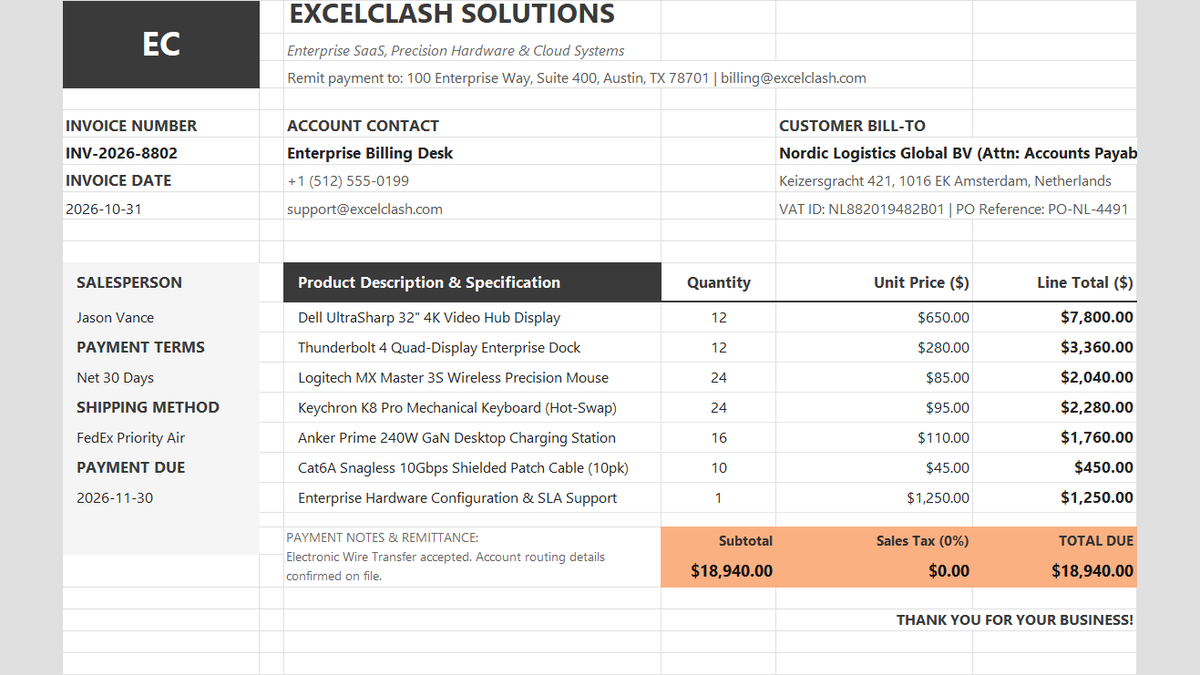
Ready to apply SUMPRODUCT Array Multiplication Formula in a real workbook?
See how math formulas automate row totals, tiered discounts, and tax computations.
Open Automated Commercial Sales InvoiceShare This Lesson
Spread the word with your peers and challenge your friends