CEILING & FLOOR Multiple Rounding Formulas
Learn how to round numbers to custom multiples in Excel using CEILING and FLOOR. Round wholesale packs, billing intervals, and currency increments cleanly.

CEILING & FLOOR Multiple Rounding Formulas
The real commercial world rarely operates in simple powers of ten. Wholesale goods are sold in packs of 12, lawyers bill consultation time in 6-minute increments, shipping pallets hold 50 boxes, and cash registers round change to the nearest 5 cents.
If you use standard ROUND for these problems, Excel fails you. Trying to order 142 pens in 12-pack boxes using ROUND simply produces 142, which suppliers will reject. If you round down to 132, 10 employees go without supplies!
The CEILING.MATH and FLOOR.MATH formulas solve this challenge cleanly. They round numbers up or down to any custom multiple you designate, ensuring inventory orders, billing hours, and batch schedules match physical operational rules.
CEILING.MATH
Jumps upwards to the next full multiple of significance. Ideal for procurement orders, shipping container minimums, and billing time blocks.
FLOOR.MATH
Cuts downward to the nearest complete multiple. Perfect for completed production batches, voucher thresholds, and bulk discount eligibility.
Quick Comparison: ROUND vs CEILING vs FLOOR
| Formula | Rounding Basis | Direction | Example on 142 (Pack 12) | Typical Business Need |
|---|---|---|---|---|
| ROUND(n, 0) | Decimal places | Nearest | 142 (Unchanged) | Financial cents, percentage tax rounding |
| CEILING.MATH(n, s) | Multiple of s | Upwards (Ceiling) | 144 (12 packs of 12) | Procurement orders, service billing minimums |
| FLOOR.MATH(n, s) | Multiple of s | Downwards (Floor) | 132 (11 complete packs) | Finished production units, bonus milestones |
Note: Always prefer modern CEILING.MATH and FLOOR.MATH over the older legacy CEILING and FLOOR functions. The modern versions handle negative numbers smoothly and do not throw unexpected #NUM! errors when signs differ.
How the Multiple-Rounding Engine Works
1. Syntax and the Significance Argument
Both formulas share the same core arguments:
=CEILING.MATH(number, [significance], [mode])
=FLOOR.MATH(number, [significance], [mode])- number: The value you want to round.
- significance (optional): The multiple to which you want to round. If omitted, Excel defaults to 1 (rounding to the nearest whole integer).
- mode (optional): Controls whether negative numbers round toward or away from zero.
2. Controlling Negative Numbers with Mode
By default, CEILING.MATH rounds negative numbers toward zero (e.g. -4.2 rounds to -4). If you set mode = 1, it rounds negative numbers away from zero (-4.2 rounds to -5). FLOOR.MATH does the reverse.
3. Psychological Pricing Strategy
Retail analysts frequently calculate wholesale markup and then adjust retail shelf prices to end in .99 or .95. You can accomplish this in a single formula:
=CEILING.MATH(Cost * 1.35, 5) - 0.01If the marked-up price is $16.20, CEILING rounds it up to $20.00, and subtracting one cent establishes a clean retail price of $19.99.
Real-Life Workplace Scenarios
1. Professional Services 6-Minute Billing
Consulting and legal firms bill client calls in 6-minute increments (0.1 hours). If an attorney spends 7 minutes on a client call, the firm bills 12 minutes:
=CEILING.MATH(MinutesSpent, 6)2. Shipping Pallet Freight Optimization
A manufacturer packs 450 finished units into pallets that hold exactly 48 units each. To find the minimum pallets required to carry the entire shipment:
=CEILING.MATH(450, 48) / 48 ' Returns 10 palletsCommon Mistakes to Avoid
- Confusing Multiples with Decimals: Writing
=CEILING.MATH(A2, 2)rounds to even numbers (2, 4, 6, 8), NOT 2 decimal places. To round to 2 decimal places, use significance0.01. - Omitting Significance for Packaging: If you omit the second argument, Excel rounds to the nearest whole integer (multiple of 1), not your package size. Always specify your batch size.
Audit the warehouse packaging numbers in our spreadsheet playground below.
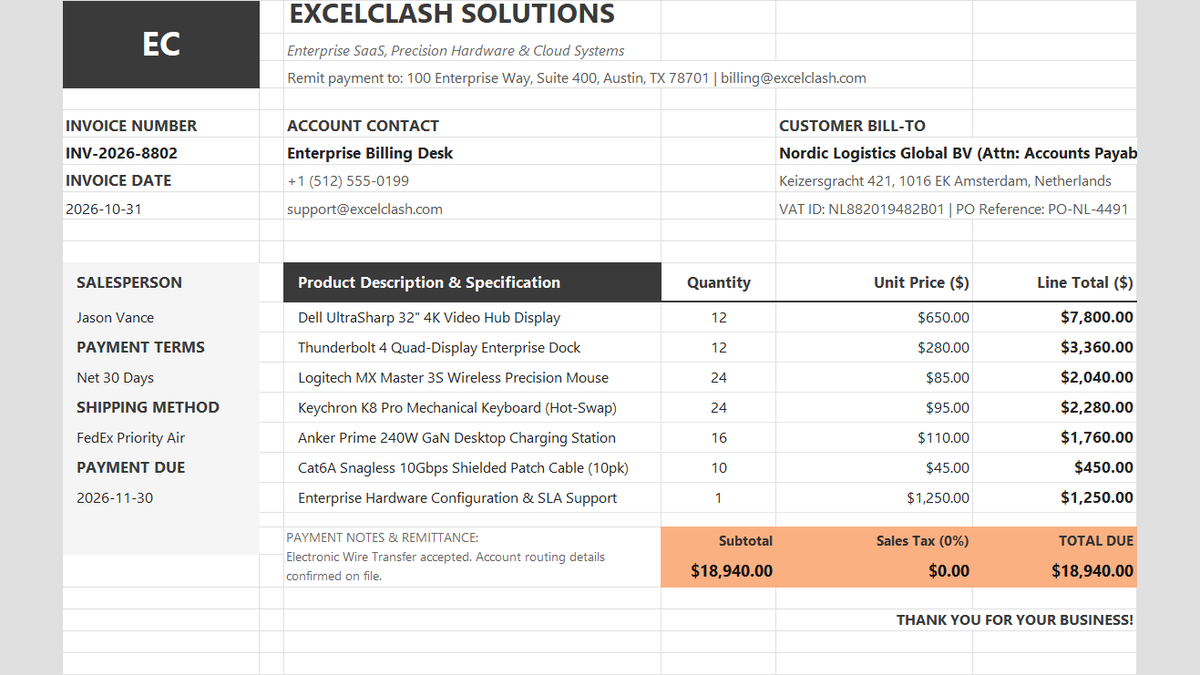
Ready to apply CEILING & FLOOR Multiple Rounding Formulas in a real workbook?
See how math formulas automate row totals, tiered discounts, and tax computations.
Open Automated Commercial Sales InvoiceShare This Lesson
Spread the word with your peers and challenge your friends