PI Geometric Constant Formula
Learn trigonometry in Excel using PI, RADIANS, SIN, COS, and TAN. Convert degrees to radians and calculate structural heights and angles accurately.

PI & Trigonometric Math Formulas
When civil engineers, land surveyors, and game developers perform geometric modeling in Excel, they frequently run into a classic trap. You might write a formula to calculate structural height like =Distance * TAN(30) expecting a simple 30-degree incline calculation.
Instead of the expected result, Excel returns an answer that is completely wrong. Why? Because Excel trigonometric functions (SIN, COS, TAN) do not accept angles in degrees. They strictly evaluate angles in radians. Passing 30 directly causes Excel to interpret your angle as 30 radians—nearly five full circle rotations!
To produce correct geometric results, you must bridge degrees and radians using PI() and the RADIANS() conversion formula. This guide shows how to calculate structural heights, slopes, and circular curves reliably.
The Radians Rule
All Excel trigonometric formulas require angles in radians. Always wrap degree cells inside RADIANS() before applying trig functions.
The PI() Constant
Returns the mathematical constant pi up to 15 decimal digits. Used for calculating circle areas, circumferences, and cylinder volumes.
Quick Comparison: Degrees vs Radians vs Trigonometry
| Angle in Degrees | Conversion Formula | Angle in Radians | SIN(angle) Result | Geometric Meaning |
|---|---|---|---|---|
| 0° | =RADIANS(0) | 0.0000 | 0.0 | Flat horizon, zero vertical height |
| 30° | =RADIANS(30) | 0.5236 | 0.5 | Height is exactly half the hypotenuse |
| 45° | =RADIANS(45) | 0.7854 | 0.7071 | Symmetrical 45-degree triangle |
| 90° | =RADIANS(90) | 1.5708 (PI()/2) | 1.0 | Full vertical perpendicular line |
| 180° | =RADIANS(180) | 3.1416 (PI()) | 0.0 | Full half-circle rotation |
Forgetting to call RADIANS() is the single most common cause of calculation failure in engineering spreadsheets.
How the Trigonometric Engines Operate
1. The PI() Constant Mechanics
The PI formula takes no arguments inside its parentheses:
=PI() ' Returns 3.14159265358979You use it directly in standard geometric area and circumference equations:
=2 * PI() * Radius       ' Circumference
=PI() * (Radius ^ 2)     ' Circle Area
2. The Golden Degree-to-Radian Rule
To convert an angle stored in degrees into radians, you can use either the native function or explicit algebra:
=RADIANS(DegreesCell)
=DegreesCell * (PI() / 180)
For example, calculating the sine of 30 degrees requires nesting the conversion:
=SIN(RADIANS(30)) ' Returns 0.53. Converting Back with DEGREES()
When using inverse trigonometric functions (such as ASIN, ACOS, or ATAN) to determine an angle from measured side lengths, Excel returns radians. Wrap the result in DEGREES() to convert back to human-friendly degrees:
=DEGREES(ATAN(Height / Distance))Real-Life Workplace Scenarios
1. Road Incline Gradient Analysis
Civil road designers measure steep mountain roadway inclines using tangent formulas. An elevation incline angle of 6 degrees over 1,000 meters produces a vertical elevation gain of:
=1000 * TAN(RADIANS(6)) ' Returns 105.1 meters2. Cylindrical Storage Tank Capacities
Industrial facility managers calculate bulk fuel tank volume by multiplying base circular area by tank height:
=PI() * (TankRadius ^ 2) * TankHeightCommon Mistakes to Avoid
- Omitting Parentheses on PI: Typing
=PIresults in a#NAME?error. You must always include empty parentheses:=PI(). - Passing Raw Degrees to SIN/COS/TAN: Always verify that degree values are wrapped in
RADIANS()before running trigonometric calculations.
Audit the surveyor measurements in our spreadsheet playground below.
Ready to apply PI Geometric Constant Formula in a real workbook?
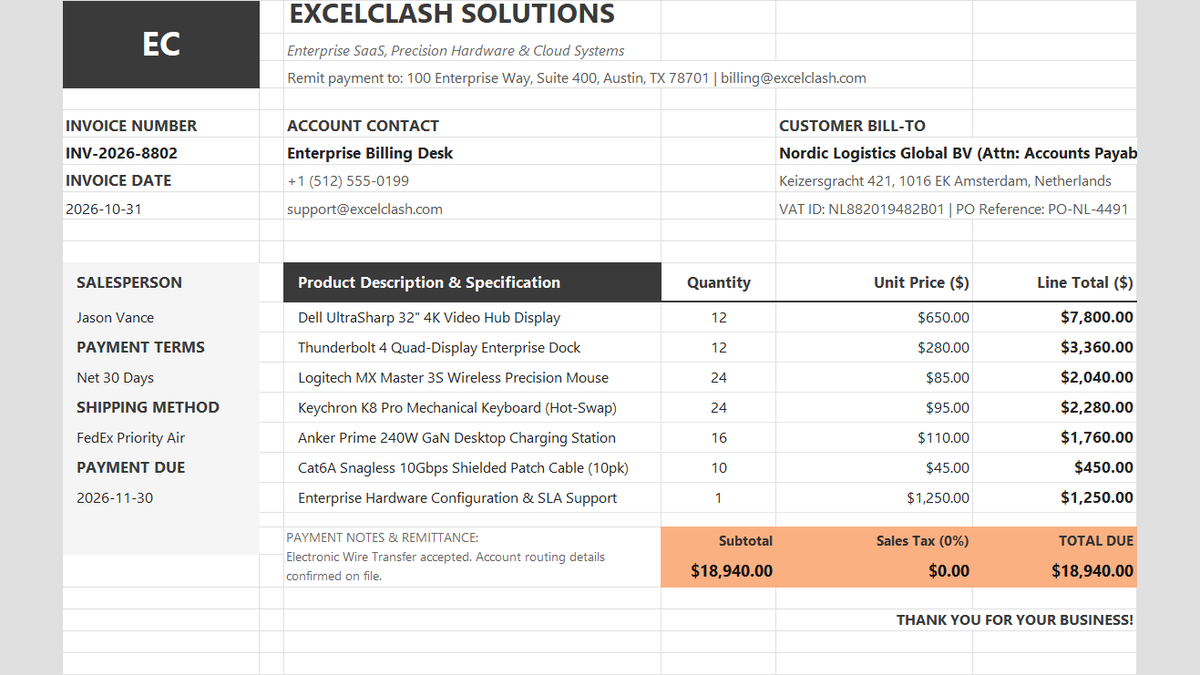
See how math formulas automate row totals, tiered discounts, and tax computations.
Open Automated Commercial Sales InvoiceShare This Lesson
Spread the word with your peers and challenge your friends