ABS Absolute Value Math Formula
Learn how to remove negative signs in Excel with ABS. Calculate budget variances, distance deviations, and audit tolerance thresholds cleanly.

ABS Absolute Value Math Formula
When measuring corporate budget variance or physical manufacturing precision, the direction of a deviation can easily trick your calculations. Imagine two departments: Marketing spends $5,000 under its target (a variance of -$5,000), while IT Support spends $5,000 over target (a variance of +$5,000).
If you add those raw differences together, -5000 + 5000 produces $0. An automated executive dashboard might conclude that your company hit its budget with 100% accuracy, hiding the fact that $10,000 in total financial deviation took place.
The ABS formula fixes this problem immediately. It converts any negative number into its positive equivalent while leaving positive numbers and zeros unchanged. This lets you measure total error, calculate deviation size, and build audit tolerance checks without interference from negative signs.
Raw Subtraction (Actual - Budget)
Shows whether you are under or over budget, but positive and negative differences cancel each other out during SUM calculations.
ABS Formula
Removes minus signs so you can aggregate total operational deviations, evaluate forecast accuracy, and test tolerance thresholds.
Quick Comparison: Raw Subtraction vs ABS
| Calculation Type | Negative Input Example | Positive Input Example | Impact on SUM Total | Best Application |
|---|---|---|---|---|
| Raw Difference (Actual - Budget) | -$5,000 | +$5,000 | Cancels out to $0 (misleading) | Directional tracking (determining surplus vs deficit) |
| ABS(Actual - Budget) | +$5,000 | +$5,000 | Adds to $10,000 (true total) | Total error size, risk volatility, and forecast scoring |
Financial auditors rely on absolute values to determine the true stability of cost centers. A department that fluctuates between +$50,000 and -$50,000 each month is not stable, even if its yearly net sum is zero.
How the Absolute Value Engine Works
1. Distance on the Number Line
In mathematics, the absolute value of a number represents its physical distance from zero on a number line. Distance cannot be negative. Whether you walk 5 miles north or 5 miles south, you have traveled 5 miles.
=ABS(-45)    ' Returns 45
=ABS(45)     ' Returns 45
=ABS(0)      ' Returns 0
2. Checking Tolerance Thresholds with IF and ABS
Quality control teams and financial controllers often set acceptable variance boundaries. By combining IF and ABS, you can evaluate whether a reading exceeds a limit in either direction using a single test:
=IF(ABS(Actual - Target) > Tolerance, "Flagged", "Pass")Without ABS, you would need two separate logical tests: one checking if the value is too high and another checking if it is too low.
3. Order-Independent Date and Time Differences
Subtracting two timestamps or dates in Excel can return negative serial numbers or hashtag display errors if the later time is placed first. Wrapping the subtraction inside ABS removes order sensitivity:
=ABS(TimestampA - TimestampB)This formula always returns the positive time span between the two points, regardless of which column contains the earlier timestamp.
Real-Life Workplace Scenarios
1. Mean Absolute Error (MAE) in Sales Demand Forecasting
When forecasting customer demand, forecasters want to know how far off their models are on average. By averaging the absolute differences between actual unit sales and projected sales, companies calculate Mean Absolute Error (MAE):
=AVERAGE(ABS(ActualRange - ForecastRange))2. Manufacturing Precision Quality Gates
Machined components must fit tight specifications (such as a 25.00 mm diameter with a +/- 0.05 mm tolerance). Quality engineers evaluate inspection measurements against the design target in one clean formula:
=IF(ABS(C2 - 25.0) <= 0.05, "Approved", "Reject")Common Mistakes to Avoid
- Supplying Text Strings: ABS expects numbers. If you pass a text string like
=ABS("N/A"), Excel returns a#VALUE!error. - Stripping Signs Too Early: If your accounting model needs to separate revenue from expenses later in the workbook, do not replace the raw amounts with absolute values permanently. Keep raw numbers in one column and calculate absolute values in a dedicated audit column.
Audit the corporate budget variances in our spreadsheet playground below.
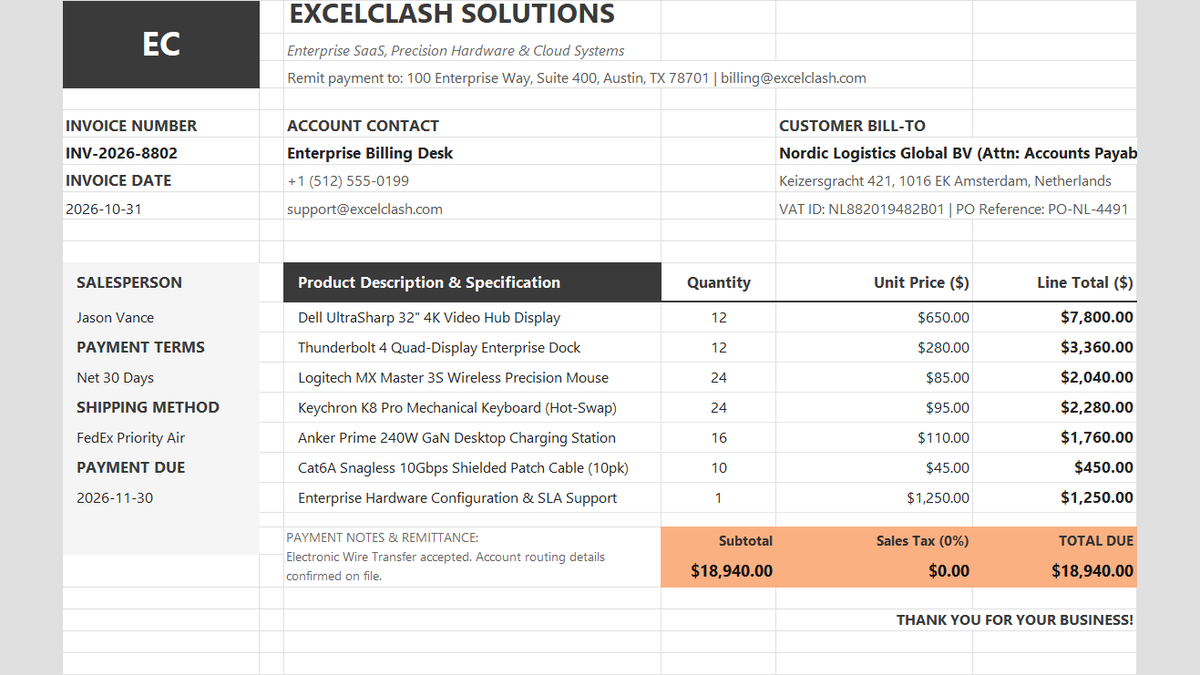
Ready to apply ABS Absolute Value Math Formula in a real workbook?
See how math formulas automate row totals, tiered discounts, and tax computations.
Open Automated Commercial Sales InvoiceShare This Lesson
Spread the word with your peers and challenge your friends