DAYS & DATEDIF Date Difference Formulas
Learn how to calculate time between two dates in Excel using DAYS, DATEDIF, and YEARFRAC for employee tenure, project days, and prorated bonuses.

Calculating the time between two dates is one of the most common tasks in HR audits, customer tenure reports, and project tracking. You might need to know how many days a support ticket has been open, how many full years an employee has served, or the exact decimal fraction of a year to calculate a fair bonus.
While you can subtract two dates with a simple minus sign (=End - Start) to get days, Excel gives you three dedicated formulas when you need specialized results:
- DAYS: Returns the total number of calendar days between two dates.
- DATEDIF: Calculates the number of complete years, complete months, or days between two dates (great for milestone anniversaries).
- YEARFRAC: Returns the exact time between two dates as a decimal fraction of a year (essential for prorated bonuses and loan interest).
Quick Comparison of Date Difference Formulas
Choosing the right formula depends on the unit of measurement your report requires:
| Formula | What It Returns | Argument Order | Best Fit |
|---|---|---|---|
DAYS(end_date, start_date) |
Total calendar days | End Date first, then Start Date | Project sprint durations and overdue invoice tracking. |
DATEDIF(start_date, end_date, "Y") |
Completed full years (whole number) | Start Date first, then End Date | Employee service awards, age calculations, vesting cliffs. |
YEARFRAC(start_date, end_date) |
Fractional decimal years (e.g. 6.47) | Start Date first, then End Date | Prorated annual bonus calculations and depreciation schedules. |
Notice the order of dates: while most Excel formulas take the start date first, DAYS takes the end date first. Putting them in reverse order will simply give you a negative number.
How Each Formula Works
1. The DAYS Formula: Counting Elapsed Days
The DAYS formula takes the later date first and subtracts the earlier date:
=DAYS(end_date, start_date)For Sarah Jenkins, with a hire date in cell B2 and evaluation date in C2, you write:
=DAYS(C2, B2)Excel returns the exact count of calendar days (including leap year days) that elapsed between the two dates.
2. The DATEDIF Formula: Whole Years and Anniversaries
When you want to know how many complete years someone has worked without counting decimals, use DATEDIF:
=DATEDIF(start_date, end_date, "Y")The "Y" unit tells Excel to only count completed full years. If an employee has worked 3 years and 11 months, DATEDIF returns 3. It will not roll up to 4 until their official anniversary date.
3. The YEARFRAC Formula: Prorated Bonus Fractions
If your payroll policy pays bonuses based on exact time served, whole years are not enough. The YEARFRAC formula calculates the exact portion of the year as a decimal:
=YEARFRAC(start_date, end_date)If someone started halfway through the year, YEARFRAC returns 0.50. You can multiply this number directly by the annual salary budget to calculate their fair prorated bonus.
Try It Yourself: Employee Tenure Review
Practice measuring employee service duration in the interactive spreadsheet arena below:
Objective 1: Count Calendar Days with DAYS
In cell D2, calculate the total calendar days worked by Sarah Jenkins between Hire Date B2 and Evaluation Date C2 using the DAYS formula.
Sarah Jenkins was hired on date B2 and reviewed on evaluation date C2. In cell D2, calculate the total calendar days worked using the DAYS formula.
Objective 2: Find Full Years with DATEDIF
In cell E2, find Sarah's completed full years of service using DATEDIF with the unit code "Y".
In cell E2, find Sarah's completed full years of service between hire date B2 and evaluation date C2 using the DATEDIF formula with the year unit "Y".
Objective 3: Find Exact Fraction with YEARFRAC
In cell F2, calculate Sarah's exact decimal years of service using the YEARFRAC formula.
The HR bonus plan uses exact decimal years. In cell F2, calculate Sarah's exact fractional years between B2 and C2 using the YEARFRAC formula.
Quick Summary
Picking the best date difference formula depends on the exact question you need to answer. Use DAYS when you need the exact number of calendar days, but remember to put the end date first. Use DATEDIF with "Y" when calculating completed full years for service awards and milestone birthdays.
Whenever you need a precise decimal number for financial prorations or annual bonuses, use YEARFRAC to get an exact fraction of the year.
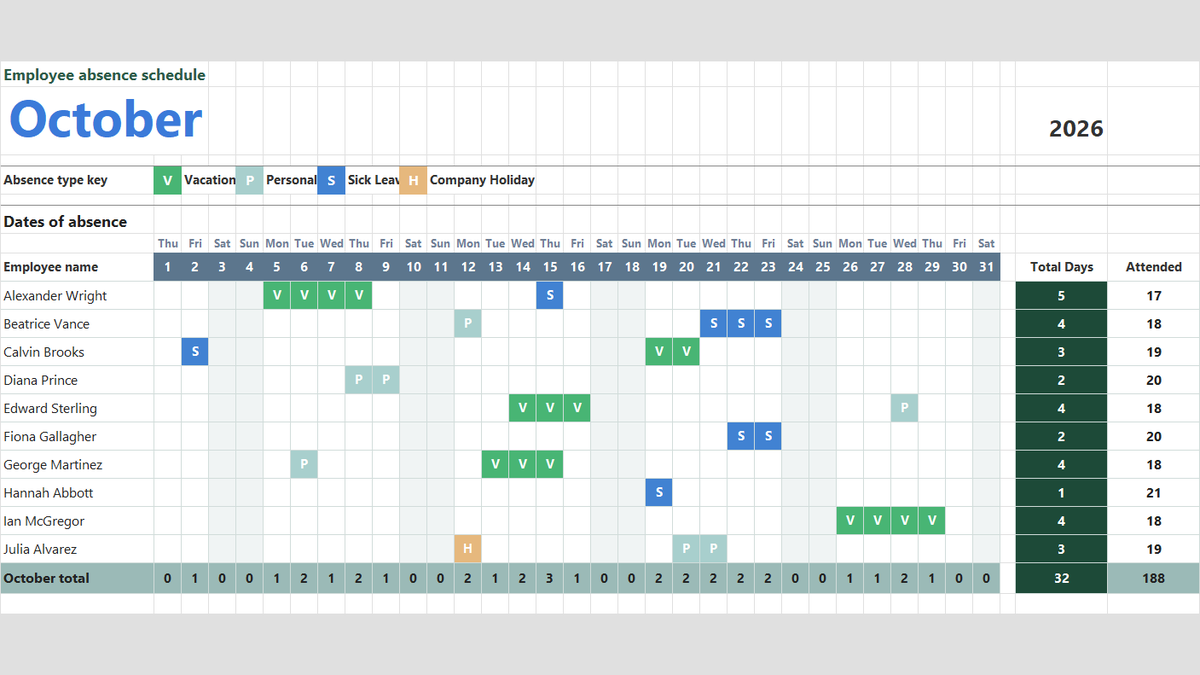
Ready to apply DAYS & DATEDIF Date Difference Formulas in a real workbook?
Handle shift hours, holiday adjustments, and scheduled work periods using date and time formulas.
Open Employee Attendance TrackerShare This Lesson
Spread the word with your peers and challenge your friends