In corporate expenditure control, accounts payable disputes rarely originate in the finance department—they start on the warehouse loading dock when goods arrive without an authorized purchase order. By the time an unexpected $5,700 freight invoice lands on the controller’s desk with Net 30 payment terms, the organization has already lost pricing leverage, budget visibility, and audit compliance.
Procurement officers, warehouse managers, and supply chain controllers require a single source of truth connecting initial departmental purchase requisitions with physical dock receipts and vendor settlement ledgers. When every inbound order carries an authorized PO number, designated cost center, and real-time delivery status, rogue company spending is eradicated before money leaves the bank.
In this comprehensive tutorial, we build a production-grade Commercial Procurement & Purchase Order Tracker in Microsoft Excel. From dynamic line item commitment formulas and cost center data validation dropdowns to vendor fulfillment monitors and accounts payable settlement alerts, this model enforces institutional spending discipline.
Commercial Procurement Control: Eliminating Rogue Spend Before Invoices Arrive
When business units order industrial equipment, packaging materials, or facility upgrades through informal emails or verbal handshakes, financial planning deteriorates rapidly. Month-end close becomes an exhausting forensic audit of unrecorded liabilities.
Structured purchase order tracking solves three universal supply chain headaches:
1. Unbudgeted Rogue Spend: Without mandatory pre-approval purchase orders, department managers can commit company funds beyond approved OPEX envelopes without executive knowledge.
2. Vendor Short-Shipment Blind Spots: When suppliers bill for 20 units of heavy racking but only deliver 16 to the dock doors, paying invoices without comparing them against physical fulfillment records results in direct inventory loss.
3. Accounts Payable (AP) Cash Drag: Finance controllers must accurately forecast upcoming cash disbursements across Net 15 and Net 30 terms. A dynamic PO tracker separates settled invoices from pending commitments, providing treasury teams with exact liquidity requirements.
By designing a standardized procurement schedule in Microsoft Excel, your organization establishes airtight internal controls that protect cash flow and simplify vendor audits.
Ledger Architecture: Designing the 3-Way Requisition Blueprint
A robust procurement workbook organizes inbound commitments chronologically while providing top-line status cards for delivery and settlement health.
Our single-sheet model features executive procurement scorecards in rows 4 through 6, an operational requisition ledger spanning rows 10 through 19 across columns B through N, and a total commitment reconciliation row at row 20.
Review the schema below to understand how the procurement register functions across columns B through N.
| Col | Field Name | Type | Format | Operational Role |
|---|---|---|---|---|
| B | PO Date | Date | YYYY-MM-DD | Date the formal purchase order was authorized and dispatched. |
| C | Vendor / Supplier | Text | General | Contracted commercial vendor (Apex Industrial, Crown Lift, Zebra Tech). |
| D | Category | Text | General | Procurement commodity classification (Heavy Racking, Safety, Packaging). |
| E | PO Number | Code | Centered Tag | Unique accounting requisition code (PO-2026-101 through PO-2026-109). |
| F | Order Qty | Integer | #,##0 | Total units or physical items requested on the requisition. |
| G | Unit Cost ($) | Currency | $#,##0.00 | Contractually negotiated price per individual item. |
| H | Total Amount ($) | Formula (Currency) | $#,##0.00 | Committed financial liability: Order Qty multiplied by Unit Cost. |
| I | Delivery Date | Date | YYYY-MM-DD | Scheduled physical delivery date at the receiving warehouse. |
| J | Payment Terms | Text | General | Commercial invoice terms negotiated with vendor (Net 15, Net 30). |
| K | Settlement | Categorical | Badge Format | Accounts payable payment status: Settled or Unsettled. |
| M | Department | List / Dropdown | General | Budget cost center: Logistics, Warehouse, Packaging, Operations, Facilities. |
| N | Fulfillment Status | Categorical | Badge Format | Physical dock delivery stage: Fulfilled or Pending. |
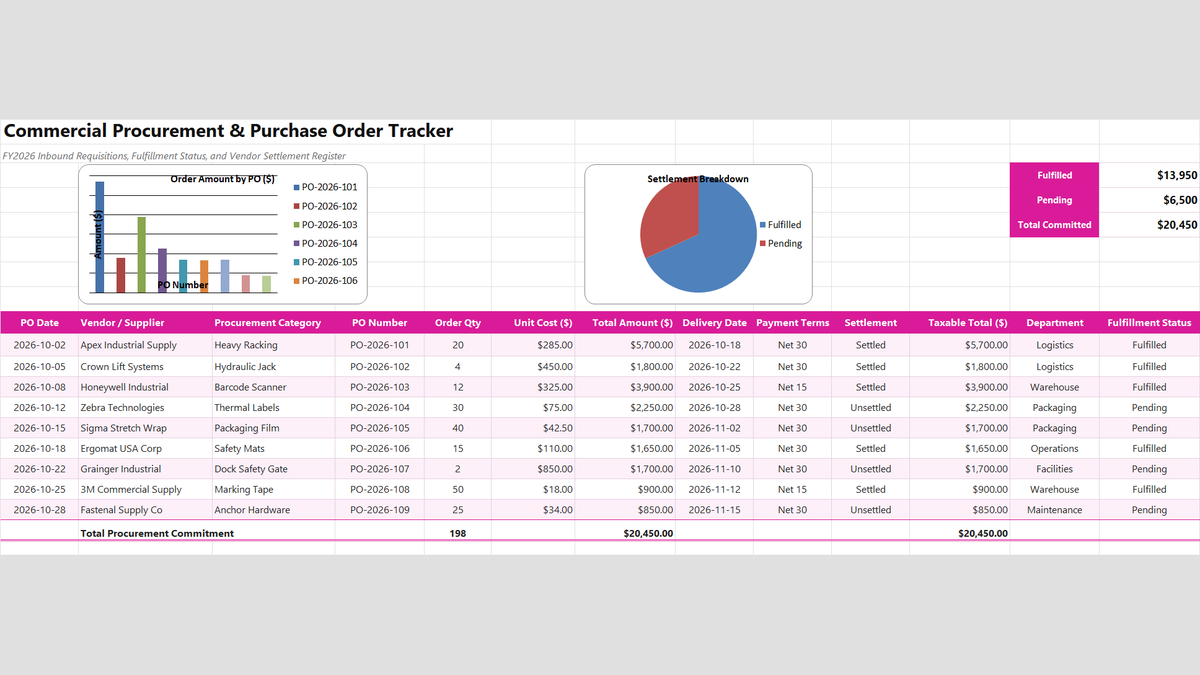
Workbook Blueprint: The Purchase Order Tracker layout displaying fulfillment scorecards, vendor requisition ledgers, and accounts payable settlement records.
With our procurement schema established, let us build the core calculation formulas and department validation controls.
Step-by-Step Implementation: Engineering the Purchase Order Tracker
Follow this structured step-by-step sequence to construct the calculations, fulfillment counters, data validation dropdowns, and settlement rules directly inside Microsoft Excel.
1Step 1: Calculating Line Item Financial Commitment
Our first operational priority is calculating the exact committed financial obligation for every authorized purchase order.
Select cell H11 and multiply order quantity by unit cost: =F11*G11.
For Apex Industrial Supply (PO-2026-101), with 20 heavy racking units at $285.00 each, cell H11 evaluates to a committed expenditure of $5,700.00.
Copy this formula down through row 19 to establish accurate line item commitments across all active vendor orders.
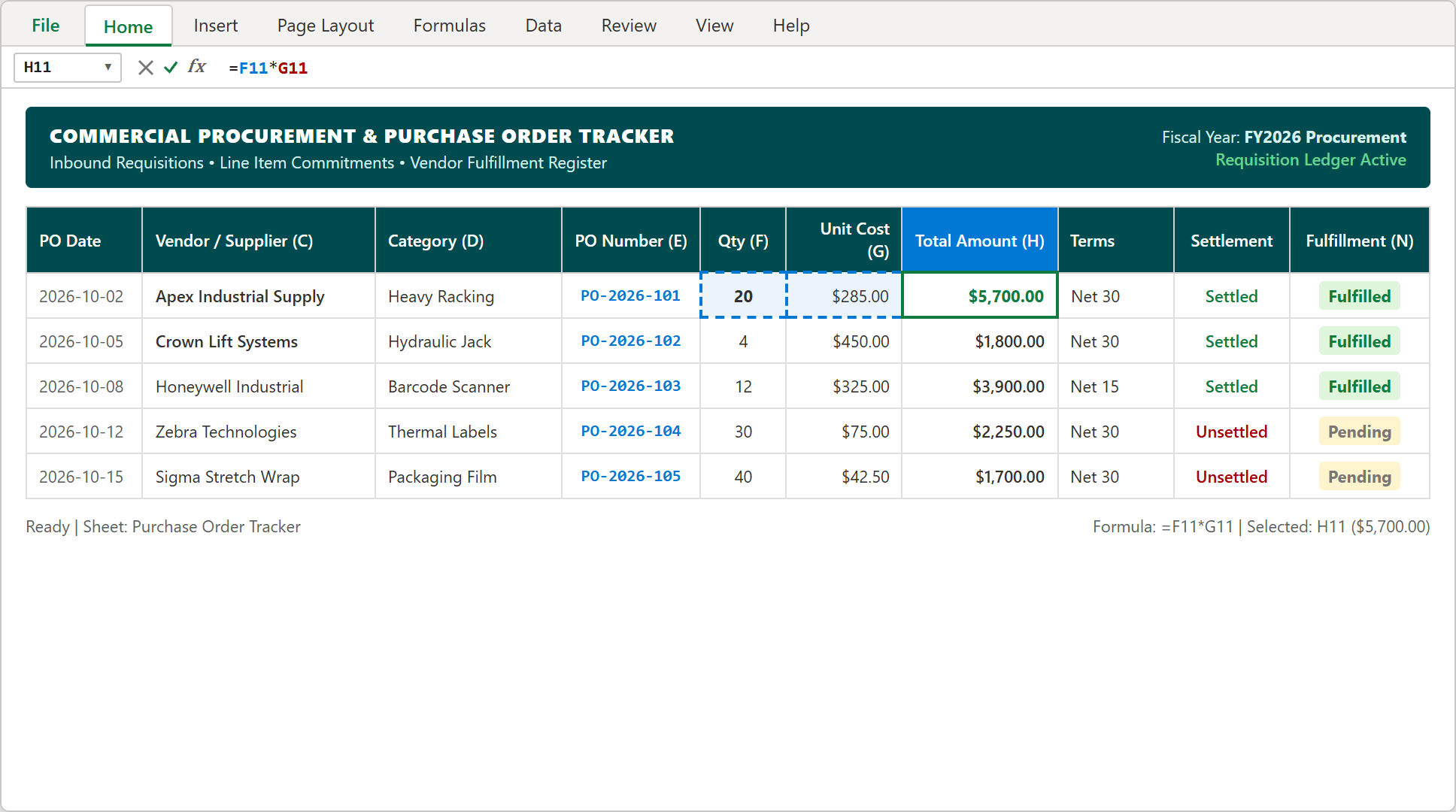
Step 1: Formula bar displaying =F11*G11 in cell H11 computing a $5,700.00 commitment on industrial warehouse racking.
2Step 2: Tracking Vendor Fulfillment with COUNTIF
How many active requisitions have successfully completed dock receiving versus those still in transit from suppliers?
In executive scorecard cell N4, count all completed deliveries: =COUNTIF(N11:N19, "Fulfilled"), which evaluates to 5 POs Delivered.
Directly below in cell N5, count active outstanding shipments: =COUNTIF(N11:N19, "Pending"), identifying 4 POs In Transit.
These dynamic counters provide receiving supervisors and purchasing agents with immediate visibility over pending shipments before dock appointments begin.
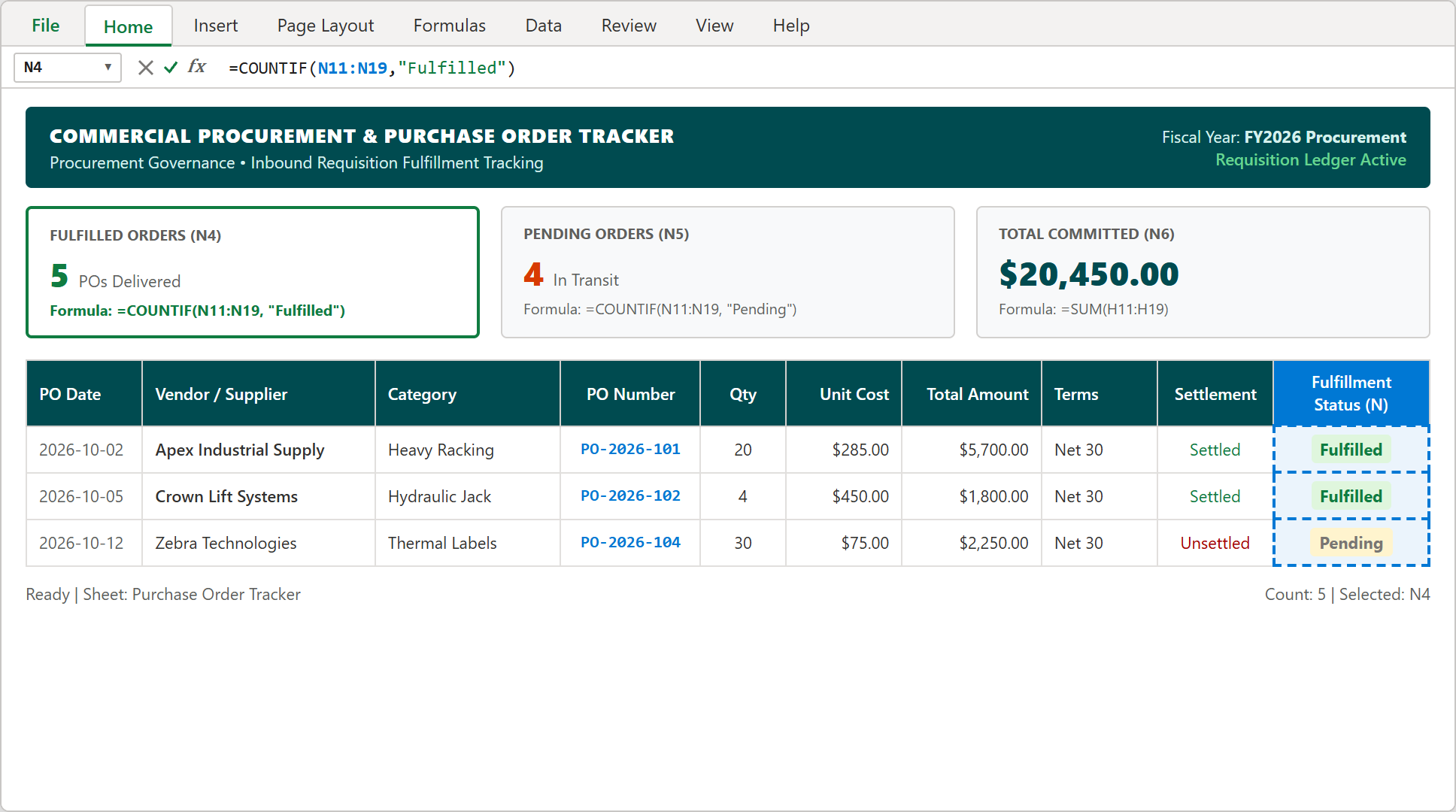
Step 2: Top scorecard cell N4 formula bar active with =COUNTIF(N11:N19, "Fulfilled") verifying 5 completed PO receipts.
3Step 3: Restricting Cost Centers via In-Cell Data Validation
To prevent rogue accounting classifications and ensure that every PO maps cleanly to an approved operational budget, we restrict department entries using in-cell dropdown validation.
Select cells M11:M19, navigate to the Data ribbon tab, and click Data Validation. Set Allow to List, ensure In-cell dropdown is checked, and input the authorized cost centers into the Source box: Logistics, Warehouse, Packaging, Operations, Facilities, Maintenance.
Click OK. Warehouse clerks and requisition officers can now assign cost centers in a single click, eliminating spelling discrepancies across procurement reports.
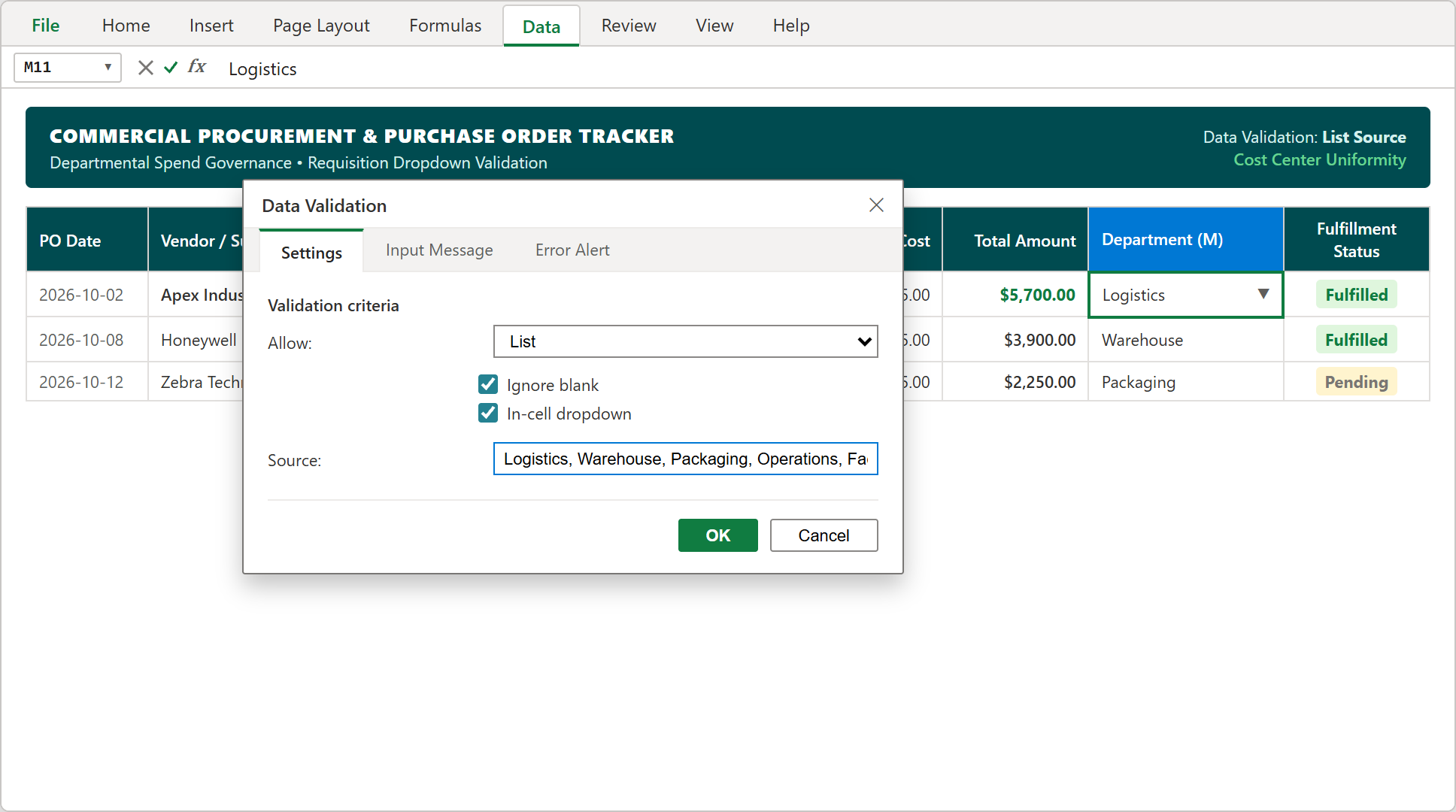
Step 3: The Data Validation settings dialog configuring in-cell department list selections for cells M11:M19.
4Step 4: Highlighting Unsettled Invoices with Conditional Formatting
Accounts payable teams need immediate visual alerts to differentiate settled vendor invoices from pending liabilities approaching their Net 30 deadlines.
Highlight the settlement range $K$11:$K$19, navigate to Home > Conditional Formatting > Highlight Cells Rules > Equal To, and configure two clear status formats:
• Unsettled: Soft rose fill (#FDE7E9) with dark crimson text (#A80000) and solid borders flagging pending cash liabilities requiring voucher approval.
• Settled: Soft emerald fill (#DFF6DD) with dark green text (#107C41) confirming completed electronic funds transfer (EFT) or check disbursements.
This visual split allows finance teams to prioritize pending invoice releases and prevent vendor credit holds.
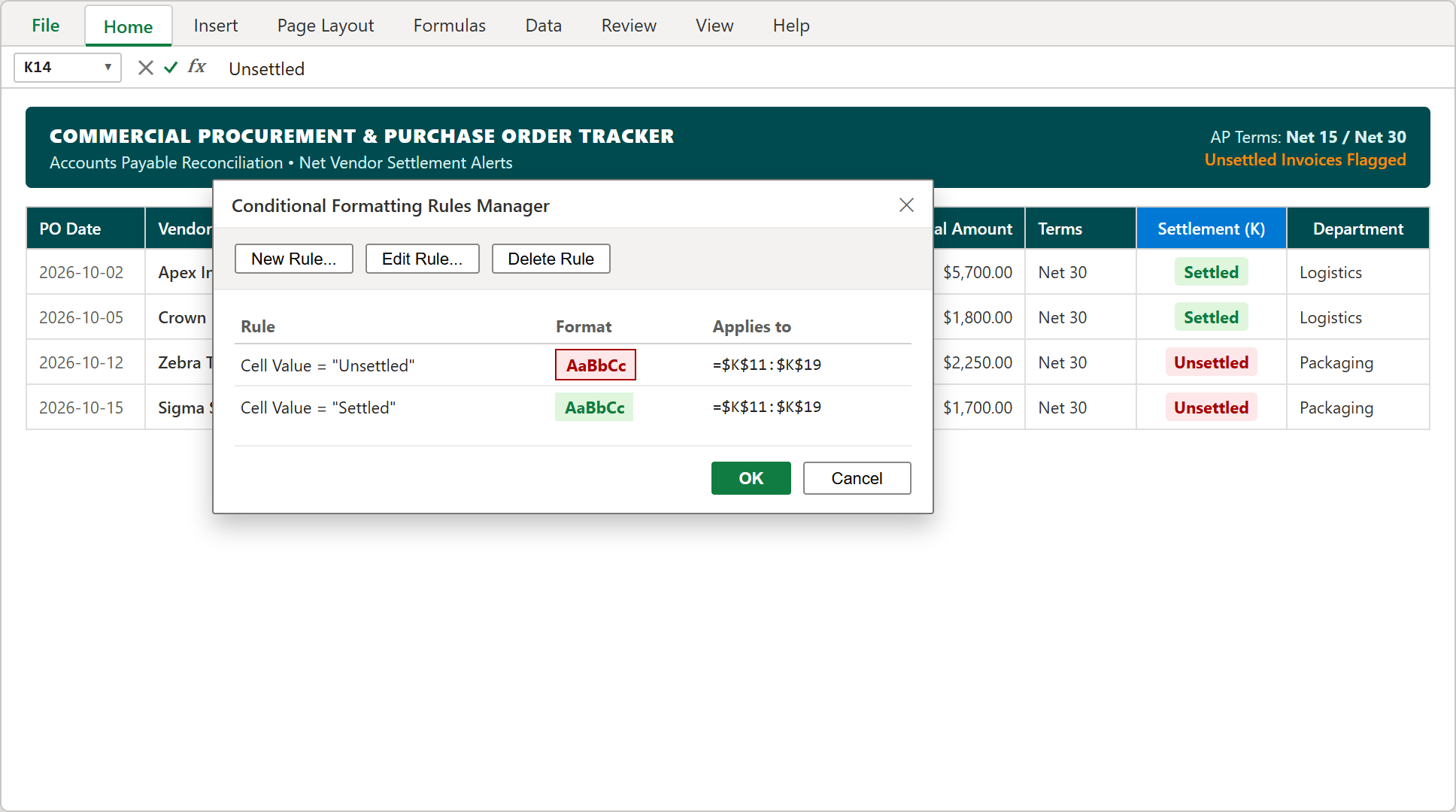
Step 4: The Conditional Formatting Rules Manager configuring automated red alerts for unsettled invoices in column K.
5Step 5: Consolidating Department Committed Spend Totals
In our final implementation step, we aggregate total procurement commitments to reconcile total fiscal period obligations.
Select row 20 total cell H20 and sum all requisition lines: =SUM(H11:H19). Across all 9 purchase orders, total procurement commitments evaluate to $20,450.00 across 198 total ordered units.
Format cell H20 with double bottom accounting borders to seal the register. Pairing this ledger subtotal with top-line cards (N6) provides controllers with an airtight snapshot of committed capital.
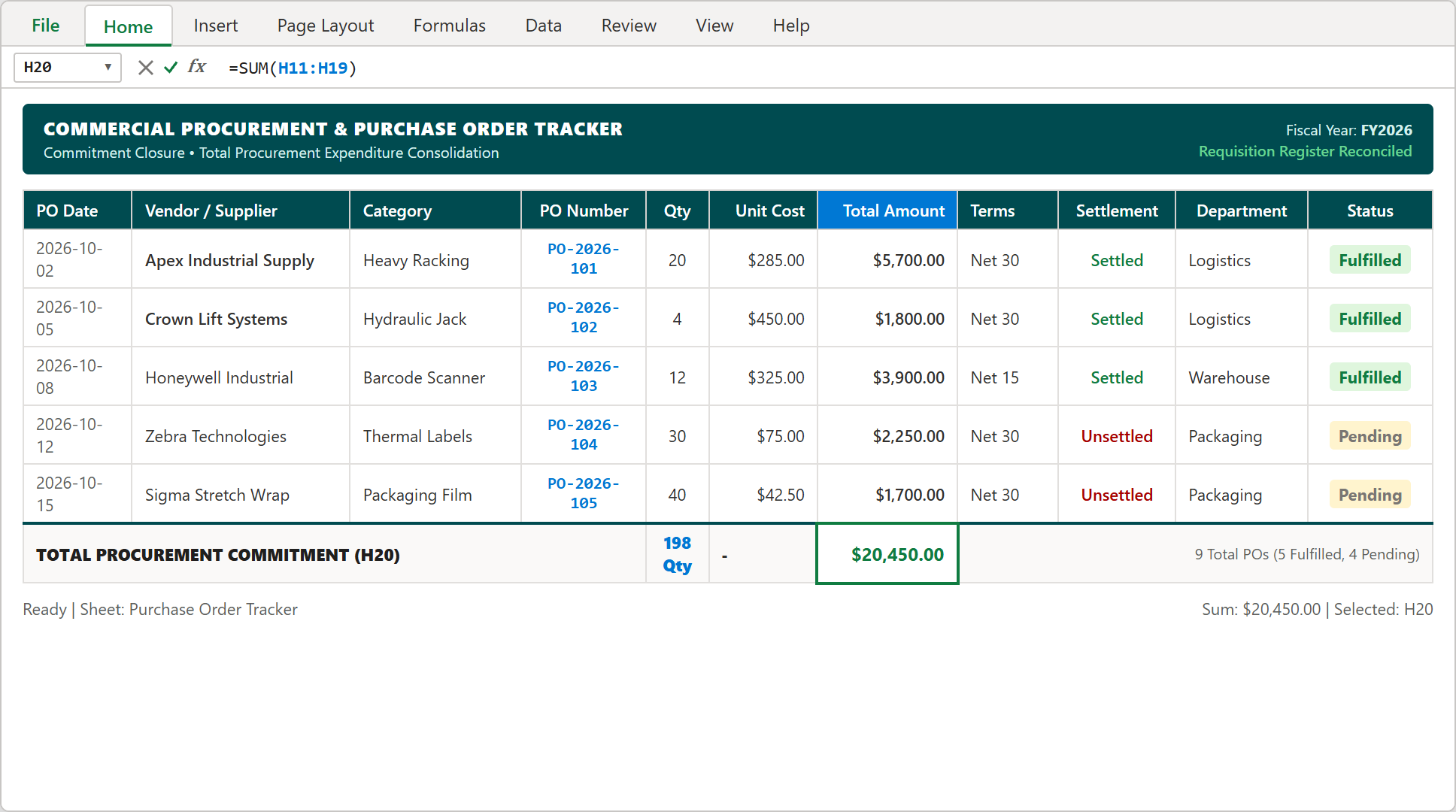
Step 5: Completed procurement register displaying $20,450.00 total committed expenditure and batch reconciliation.
Procurement Audit Playbook: 3-Way Matching & Vendor Settlement Compliance
An Excel procurement tracker delivers outstanding clarity, but eliminating invoice discrepancies requires disciplined institutional habits. Implement these four operational rules across your purchasing workflow:
1. The "No PO, No Pay" Mandate: Establish a firm corporate policy: any vendor invoice submitted without a matching, pre-authorized PO number (such as PO-2026-101) is automatically returned to the vendor unpaid until verified by the purchasing manager.
2. Strict 3-Way Matching: Before accounts payable marks any invoice as "Settled" in column K, the AP specialist must cross-reference three physical documents: the original Purchase Order (commitment price), the Receiving Dock BOL slip (quantity verified), and the Vendor Commercial Invoice (billing total).
3. Automatic Net 30 Discount Sweeps: Review vendor payment terms in column J weekly. Identify suppliers offering early payment discounts (e.g., 2% 10, Net 30) and prioritize their settlement vouchers to capture recurring risk-free yield on working capital.
4. Departmental Spend Audits: Run monthly SUMIF summaries on the Department column (M). If a department exceeds its authorized monthly requisition cap by > 10%, freeze unapproved PO generation pending VP operational review.
By integrating these procurement protocols with your Microsoft Excel tracker, your organization secures supply continuity, protects bottom-line margins, and passes financial audits with ease.

Spreadsheet educator and web developer passionate about hands-on interactive spreadsheet practice.
Related Practical Exercises
Explore more hands-on spreadsheet models with downloadable practice workbooks.
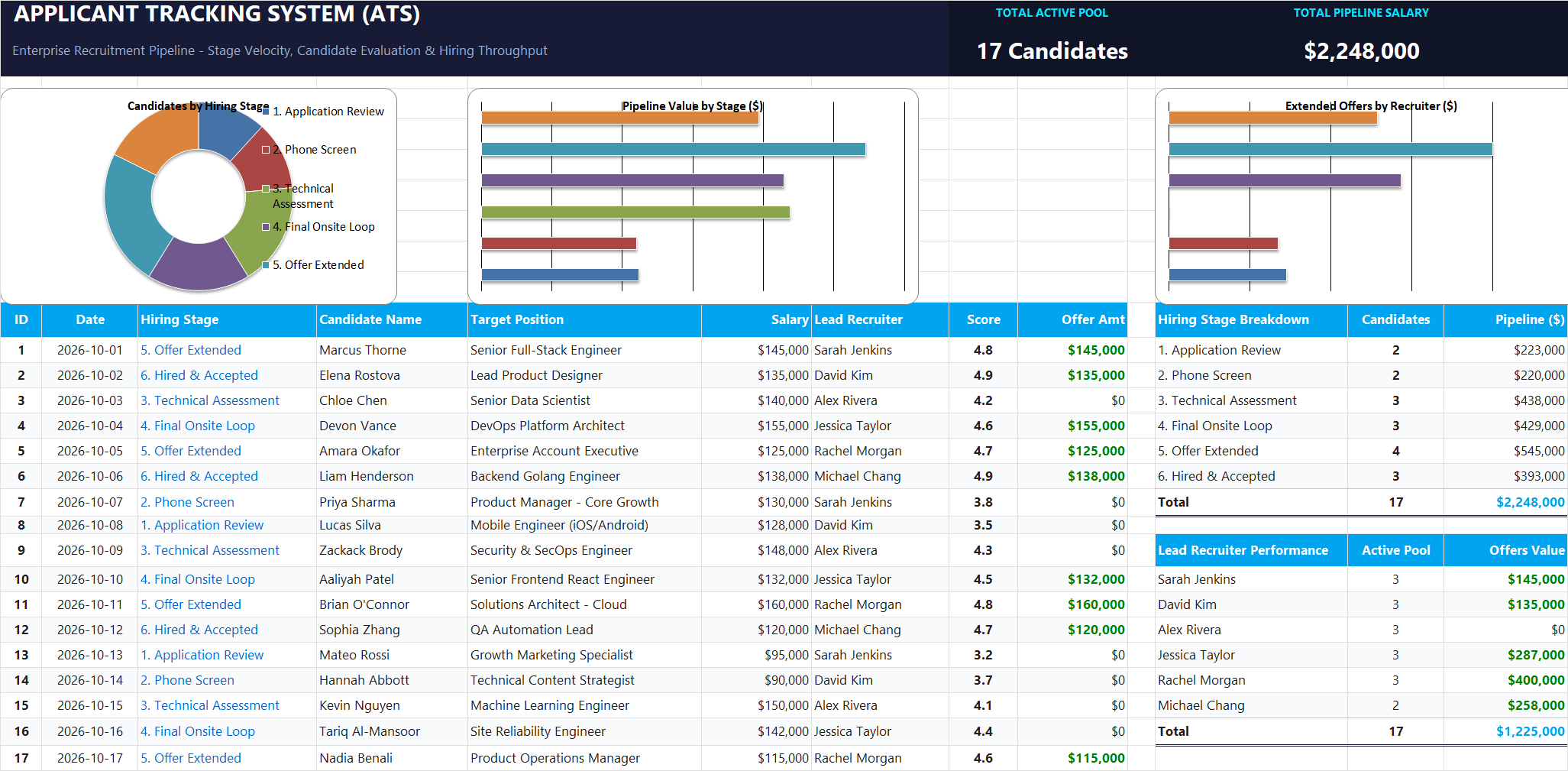 Human Resources
Applicant Tracking System (ATS) Excel Template
Tired of messy hiring spreadsheets? Learn how to build a clean Applicant Tracking System in Excel that automatically approves offers, counts applicants per stage, and updates executive salary summaries in real time.
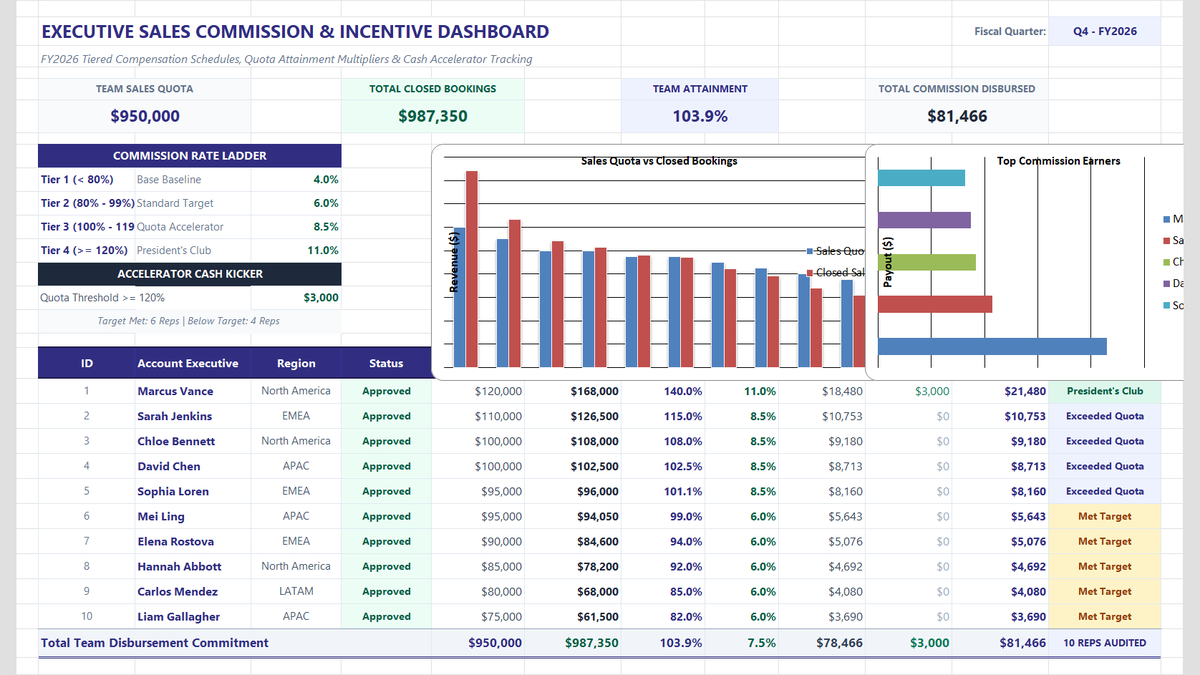 Sales
Sales Commission Calculator Excel Template
Calculate sales team commissions, quota attainment tiers, and performance accelerators in Microsoft Excel. Build an executive commission dashboard featuring tiered percentage multipliers, cash kickers for overachievers, automated performance status badges, and team payroll rollups.
 Sales
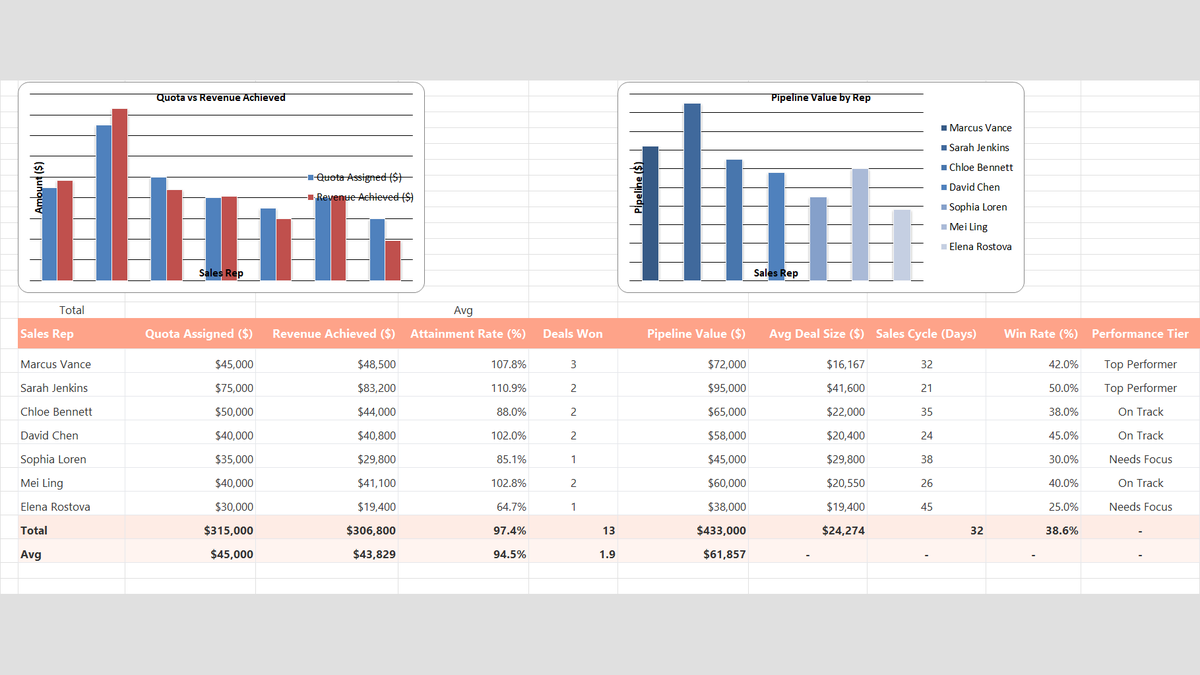
Sales Rep Performance Tracker Excel Template
Build a practical sales rep performance tracker in Microsoft Excel to measure individual quota attainment, average deal size, win rates, and team pipeline velocity.
 Sales
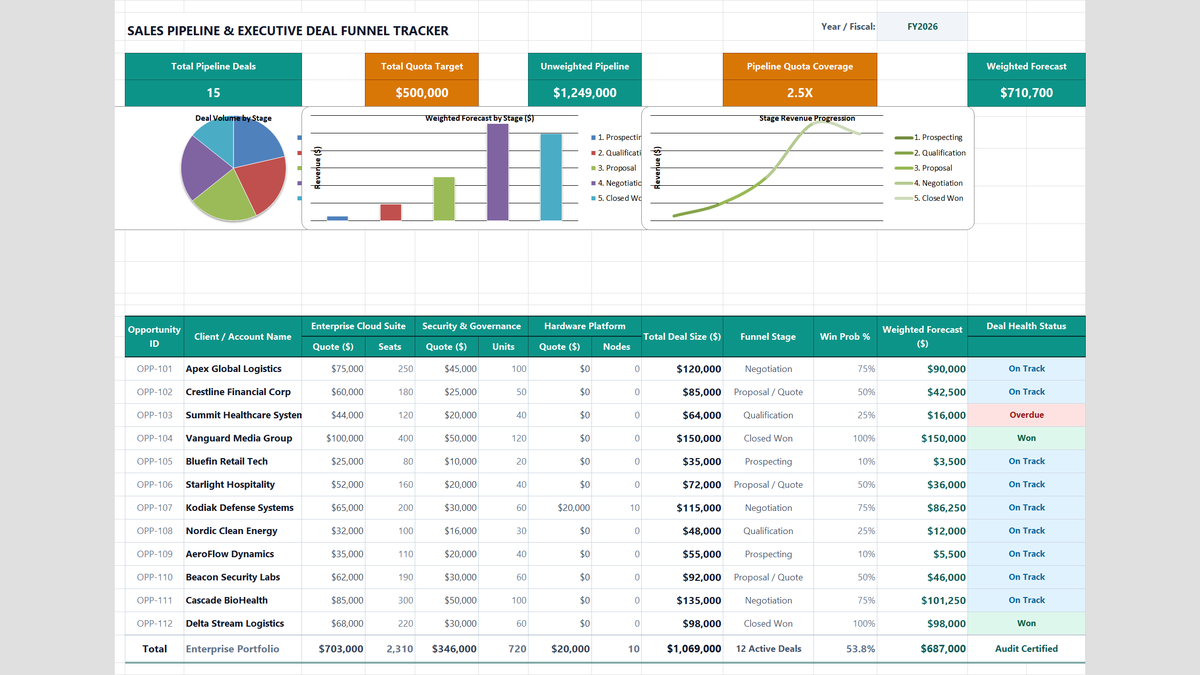
Sales Pipeline Tracker Excel Template
Learn how to construct an enterprise B2B sales pipeline tracker in Microsoft Excel featuring multi-product cross-sell quotes, weighted expected value forecasting, quota coverage ratios, and funnel conversion rollups.
 Finance
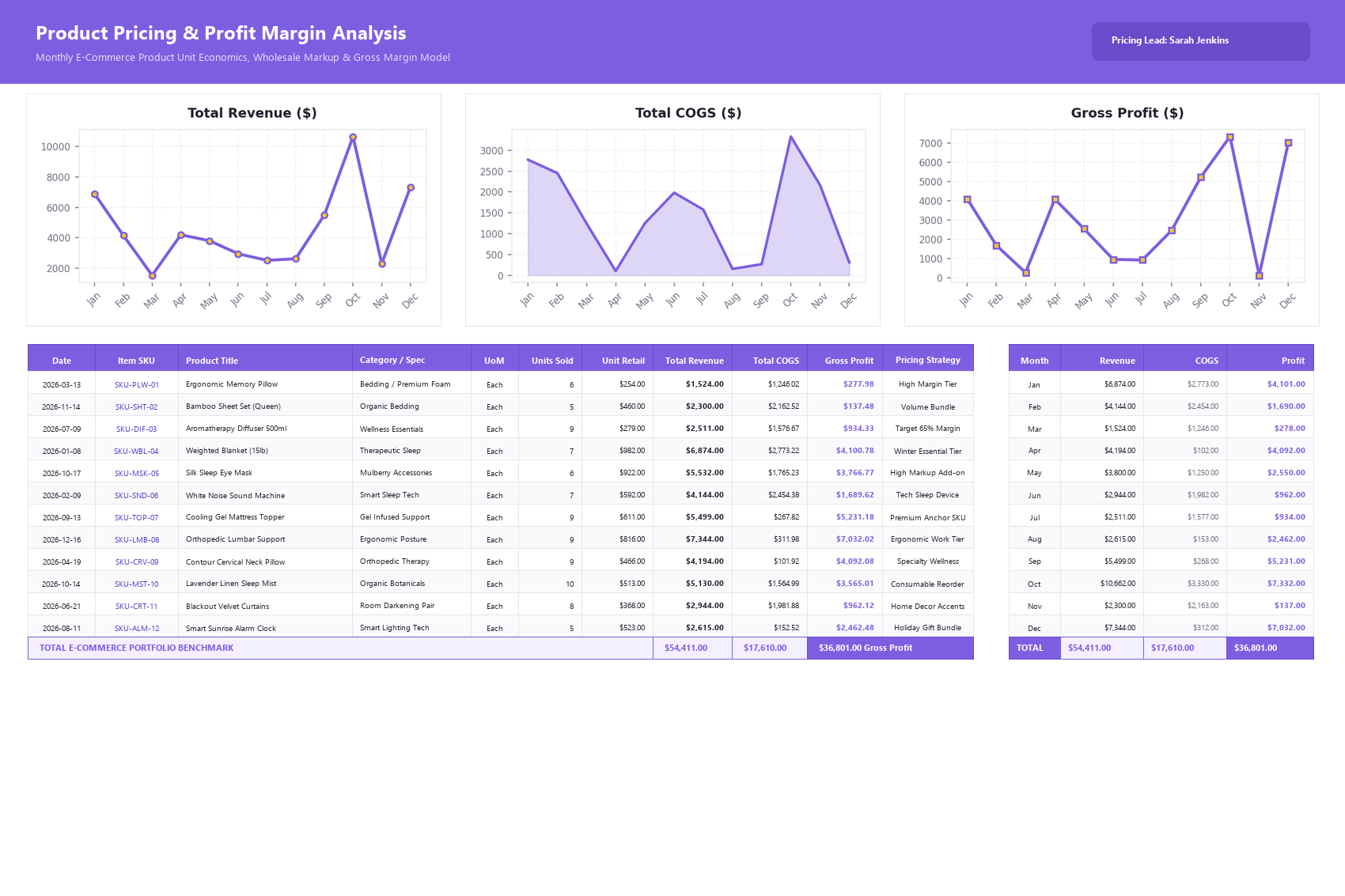
Product Pricing Calculator Excel Template
Build a practical product pricing and profit margin calculator in Microsoft Excel to track unit revenue, cost of goods sold, and monthly SKU profitability.
Discussion
Ask questions, share formula tips, or discuss alternative approaches with fellow spreadsheet builders.
Loading discussion...